Orders without decoding messages
Customers select items, quantities, available extras and comments themselves. Staff do not have to assemble those details again from voice notes and messages.
TAP2DINE · QR / ONLINE ORDERING
At the table, on a phone, through a link or a QR code. Guests browse the menu, choose their food and submit an order through the configured connection to your restaurant.
Branded ordering portal from ₪199 per month, per branch, before VAT. Proposed rate; connections and online payments are quoted separately.
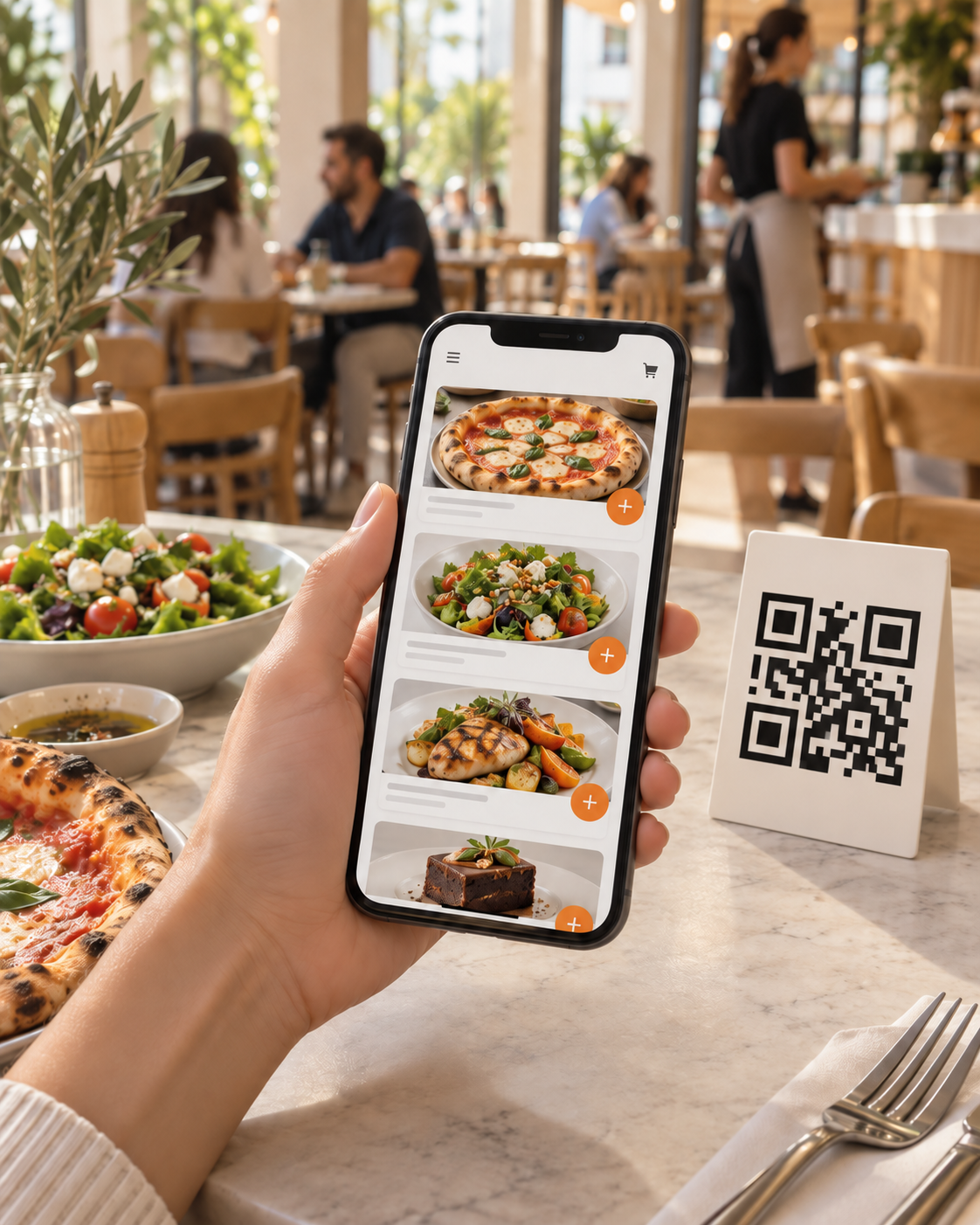
A guest sits down, ready to choose. Someone sees a dish on Instagram and wants to collect it on the way home. A regular knows their favourite meal but does not want to call or explain it in messages.
When the next step is awkward, interest may never become an order. Give customers a direct path to choosing food while they are ready.
Customers select items, quantities, available extras and comments themselves. Staff do not have to assemble those details again from voice notes and messages.
Selected options are recorded with the dishes and sent through the configured route. This can reduce verbal handoff mistakes; staff still need to check each order.
Put your link where customers already find you: Instagram, your Google profile, WhatsApp, your website or ads. A QR code is another entrance to the same process.
While a staff member serves someone else, a customer can choose and submit an order in the enabled mode. This adds an ordering channel, not automatic kitchen capacity.
A QR code opens the menu on the customer’s phone. On-site ordering, payment and table-specific routing must be checked for the chosen configuration.
A link leads to food selection instead of another message thread. Pickup and delivery are available only in the configured service modes.
A QR code on the box or a saved link gives customers a clear way back. It is an entrance to your channel, not a guarantee of repeat sales.
Follow a link or scan a QR code. The web portal opens in the browser; customers do not need to install a separate app.
Menu items, quantities, available options and comments help build the order. Prices and availability stay current through menu maintenance.
The guest reviews their choices and uses the configured ordering flow. Online payment is connected separately through a supported provider.
The order reaches the POS through the agreed connection and follows the configured route. We check compatibility and the data passed in a demo.
When items, extras and comments form one order record, staff have a clearer view of what was requested. Owners can organize order-taking around a system rather than whoever answered the message first.
A direct channel still needs promotion and ongoing operation. A portal does not create customer traffic by itself or remove all fees and costs.
First define where customers order and how your team receives it. Then agree connections to the POS, a kitchen display or printer, and other supported modules. You do not need to buy every solution at once.
Your logo, colours, menu and images within the portal’s available tools. Custom development and special workflows require a separate agreement.
Before launch, agree opening hours, pickup or delivery, areas, charges and payment methods for the enabled service modes.
Check the existing POS and kitchen output to establish supported connections and what is needed for launch.
per month, per branch
Online ordering through a portal branded with the system’s tools, with a supported POS connection.
Get a quote for my restaurantThis is a web portal, not a separate App Store app. Direct ordering does not mean “no fees”; agree the complete cost before launch.
* ₪199 is a proposed catalogue rate awaiting approval. All prices exclude VAT. Final pricing and service scope are confirmed in the quotation.
No. In the configured workflow, guests choose items and submit an order. The demo shows the available journey, not only a menu or QR code.
That workflow needs checking. Table identification, ordering and payment depend on supported functions and settings. A QR code does not automatically include table service.
We check your specific system and required data first. Compatibility with every POS or outside service is not guaranteed.
Where those modes are available and configured for your business. Delivery areas, hours, charges and payments must match your actual service.
No. It gives you a channel you can promote yourself. Traffic, repeat orders and results also depend on your offer, marketing and restaurant operations.
TAP2DINE · QR / ONLINE ORDERING
Instagram, a QR code at the table or a pickup link? Tell Dima. He will demonstrate a suitable workflow and help define the connections you need.
+972 52-692-3399If the form does not appear: open it in a new tab