A clear route from purchase to launch
Agree what the restaurant prepares, what Damka configures and what to check before the first shift. Timing depends on the equipment and the readiness of your materials.
ONBOARDING · SETUP, TRAINING & SUPPORT
Damka helps bring POS, QR ordering, kiosks and kitchen displays into everyday restaurant work: configure the menu, connect equipment, train the team and prepare the launch.
Agree implementation scope, training, timing and support terms before work begins. Choose what your restaurant actually needs.
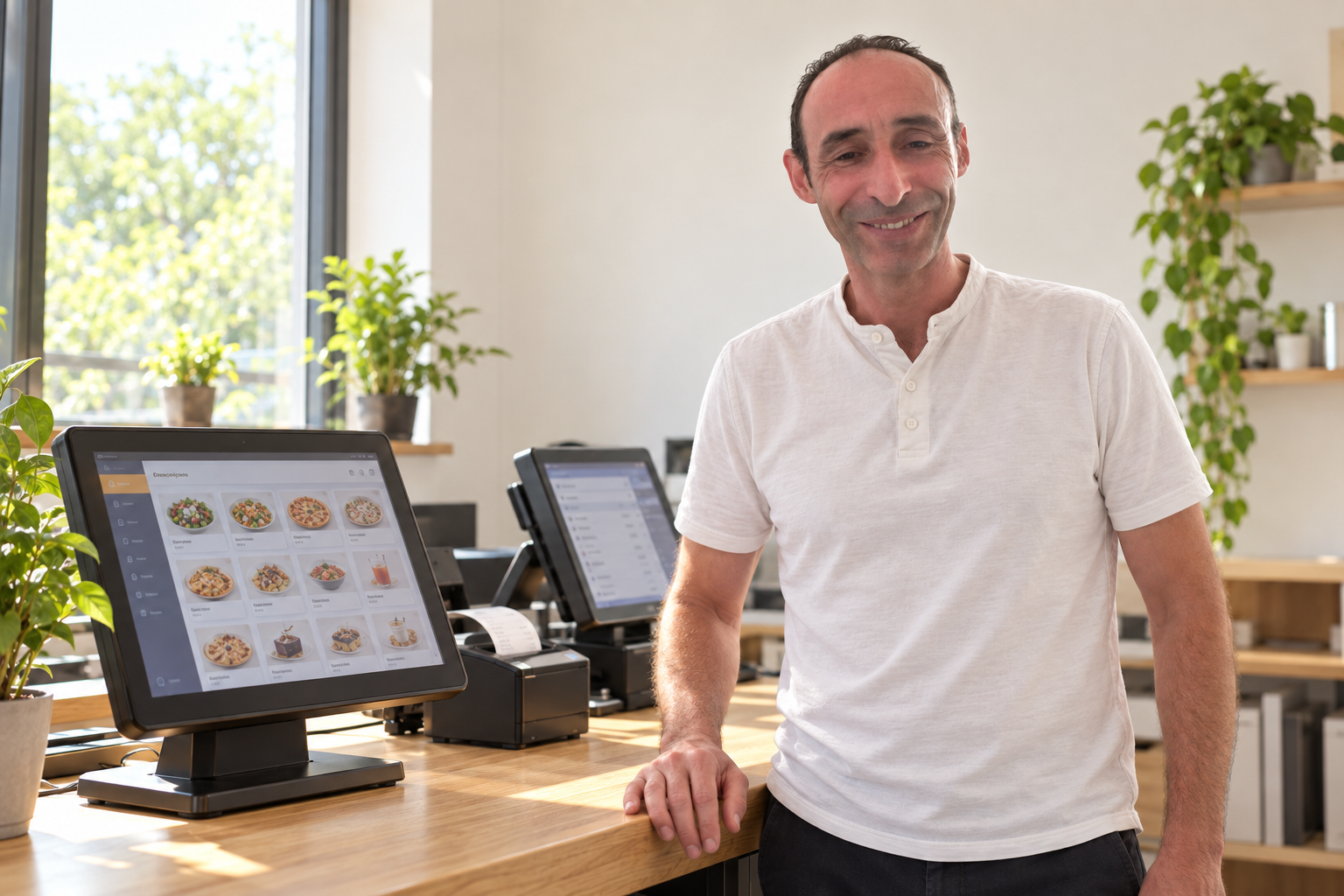
A restaurant does not buy technology just for an attractive screen. The menu must fit what you sell, orders must reach the configured kitchen output, and employees need to know how to handle payment and order changes.
Even a good system can create stress if the team is left to work it out alone. Damka helps connect equipment, settings and people’s actions into an agreed workflow.
Agree what the restaurant prepares, what Damka configures and what to check before the first shift. Timing depends on the equipment and the readiness of your materials.
Use a test order to check items, changes, payment and kitchen handoff in the supported configuration. This helps identify mismatches early; it is not a guarantee against every failure.
The team practices taking orders, making supported changes, handling payments and finding help. The training scope is agreed for the selected modules.
Define contact channels and service terms in advance. Know which questions support covers and which changes or site visits require a separate quote.
Review how guests order, where queues build, station and staff counts, and how the kitchen receives work. Select the POS, QR, kiosk, screen or printer you need and check compatibility.
Prepare categories, items, prices, available extras and notes from your materials. Languages, images, channel display, combos and special rules are checked in the current version and agreed separately.
Connect and check agreed POS devices, terminals, printers and kitchen screens. Check the order route, not just whether the device powers on. The business must provide suitable internet and infrastructure.
Demonstrate orders, supported changes, payment and kitchen workflows. Cover QR and kiosk use where connected. Agree format, participant numbers and any extra sessions in the scope.
Help with questions and agreed settings under the service contract. Menu changes, repeat training, special work and visits may cost extra. Agree service hours and the help process beforehand.
Review service style, menu, POS, kitchen, payments, staff and current difficulties.
Choose modules and compatible equipment; define one-off work and monthly charges.
Use the restaurant’s materials to prepare supported functions for the agreed workflow.
Follow a test order from entry to the supported kitchen output.
Practice the working process and common situations with the team.
Handle questions within agreed hours and the selected service scope.
An owner already has enough to manage during peak service. Implementation should clarify how POS, kitchen, payment and staff work together. Dima and Damka Systems help you prepare with a defined scope and clear responsibilities.
Support does not imply 24/7 availability, guaranteed instant resolution or full offline operation. Those conditions cannot be assumed without an agreement.
Start with POS and menu setup, then add online ordering, a kiosk or kitchen display later. The launch plan considers released features, compatibility, network readiness and your materials.
Logo, photos, product names and descriptions, prices, extras and business details. Photography, content creation and logo design are not part of standard setup.
Supported workflows, languages, devices, order routes and payment connections. Special logic, new code and nonstandard integrations require a separate agreement.
Equipment, schedule, one-off work, training, monthly service, warranty and support hours. A software subscription is not a hardware rental.
These are separate services, not a compulsory bundle. The final total depends on the configuration and scope.
All prices exclude VAT
Initial setup from materials supplied by the restaurant.
Per terminal. Terminal purchase and ongoing service are separate.
Internet payment connection. Portal subscription and provider fees are separate.
Gedera–Hadera only, depending on location and scope. Other areas and Eilat require a separate quote.
Per existing supported provider channel and branch: menu mapping and configuration, not development of a new interface.
Catalogue prices are a guide for discussion. Final scope and pricing are confirmed in the proposal; the same installation work is not charged twice.
External order connections may carry monthly charges and provider fees. Two-way menu synchronization is not implied.
Not automatically. Initial setup, installation and connections are separate work. Training format, launch assistance and ongoing support must be described in your quote and service agreement.
We check compatibility and condition first. We do not promise to connect any POS, printer or terminal without checking it.
We check the released version and required channels. Standard configuration uses product tools; special development and complex rules need a separate agreement.
Menu materials, business details, a responsible staff member, suitable workstations and a functioning network. Stable internet is critical; backup arrangements are discussed during preparation.
Timing depends on scope, hardware, connections and restaurant readiness. We agree it after reviewing your needs. The first-shift message describes the preparation goal, not a one-day delivery promise.
ONBOARDING · SETUP, TRAINING & SUPPORT
Tell us about your business, equipment and team. Dima will help define the work needed and demonstrate a suitable workflow.
+972 52-692-3399If the form does not appear: open it in a new tab